
Quick Start
Run your first job on a Verifiable Container Runtime and view its signed manifest, from the command line or the web console.
This page runs a Hello World job on a CRT and opens the signed manifest it produces. You need:
- A running CRT. To deploy one, follow Azure or Bare Metal.
- An operator certificate signed by the CA the CRT was deployed with. See Operator Certificates (mTLS).
- The CRT’s public IP address, from the deployment’s
publicIpAddressoutput:
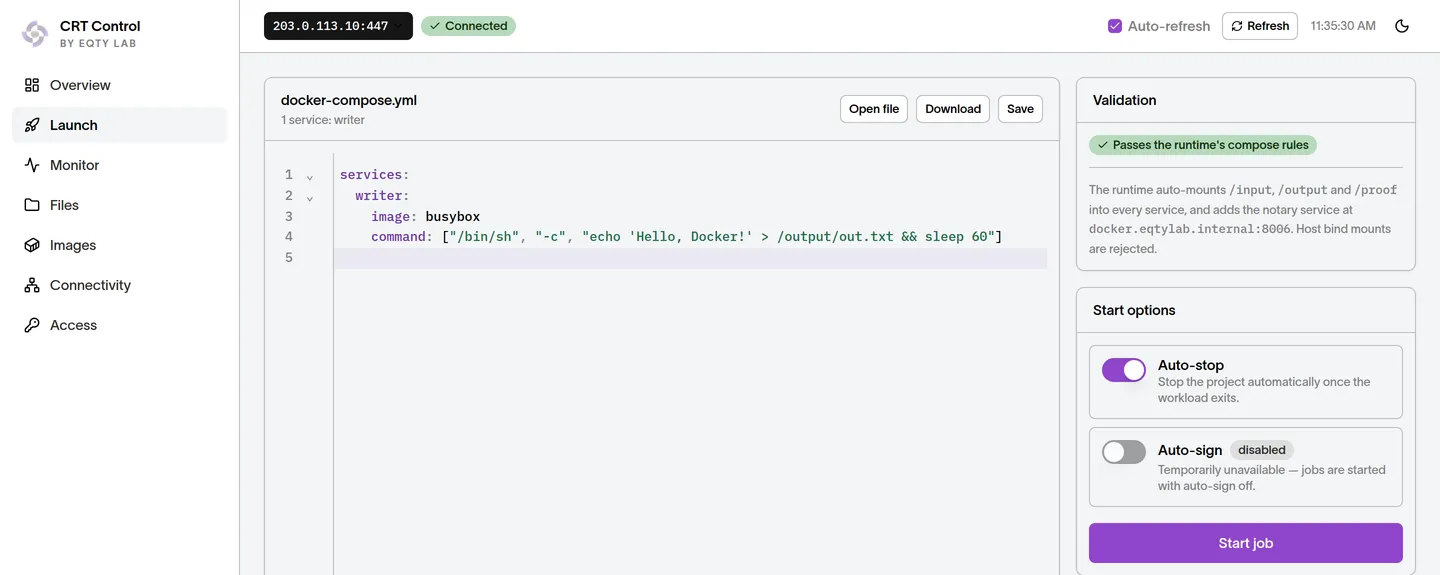
The job writes a line to /output/out.txt, then waits 60 seconds and stops:
services:
  writer:
    image: busybox
command: ["/bin/sh", "-c", "echo 'Hello, Docker!' > /output/out.txt && sleep 60"]-
Import your operator
.pfxinto your browser. See Install an operator certificate. -
Open the web console, accept the certificate warning, and pick your operator certificate when the browser asks:
texthttps://{{VM_IP}}:447/The badge at the top reads Connected.
-
Select Launch and paste the job above into the editor. Wait for the Validation panel to pass, leave Stop when the job finishes on, and select Start job.
-
A Project started dialog shows the job’s
project_id. Select Go to Monitor, then Containers to watch thewritercontainer; the job stops on its own after about 60 seconds.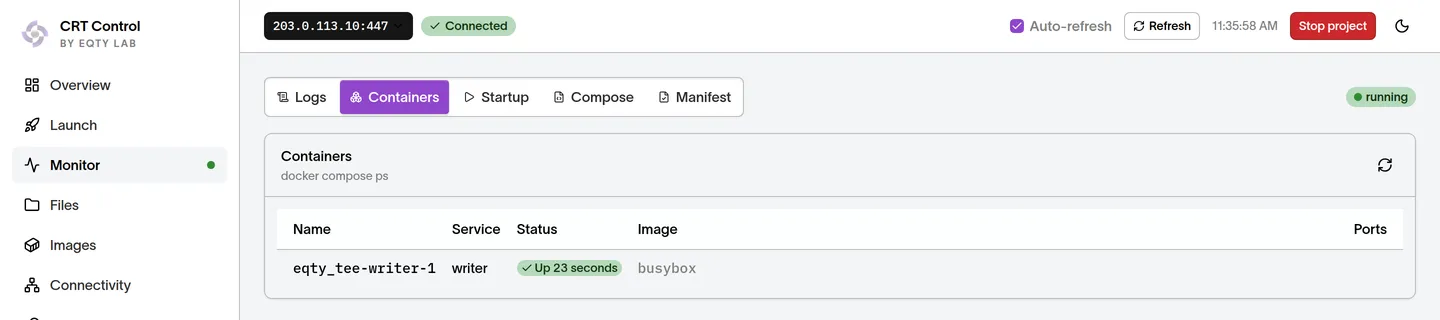
-
Select Manifest and then Download to save
eqty_manifest.json.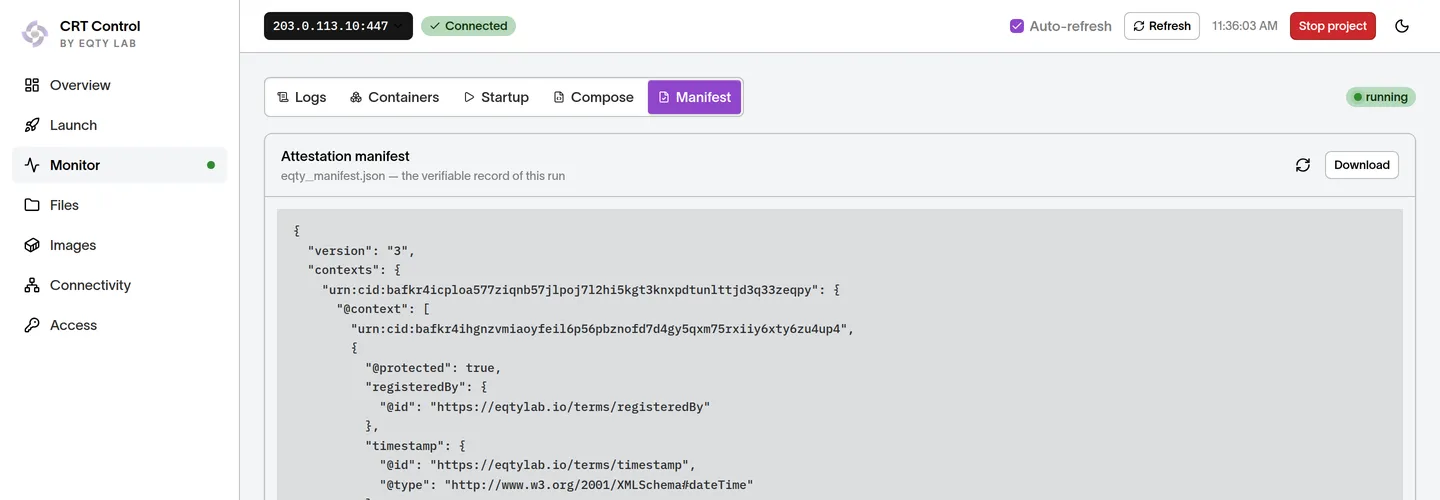
You can also select Files; the job’s
project_idis filled in under Results, and Output listsout.txt.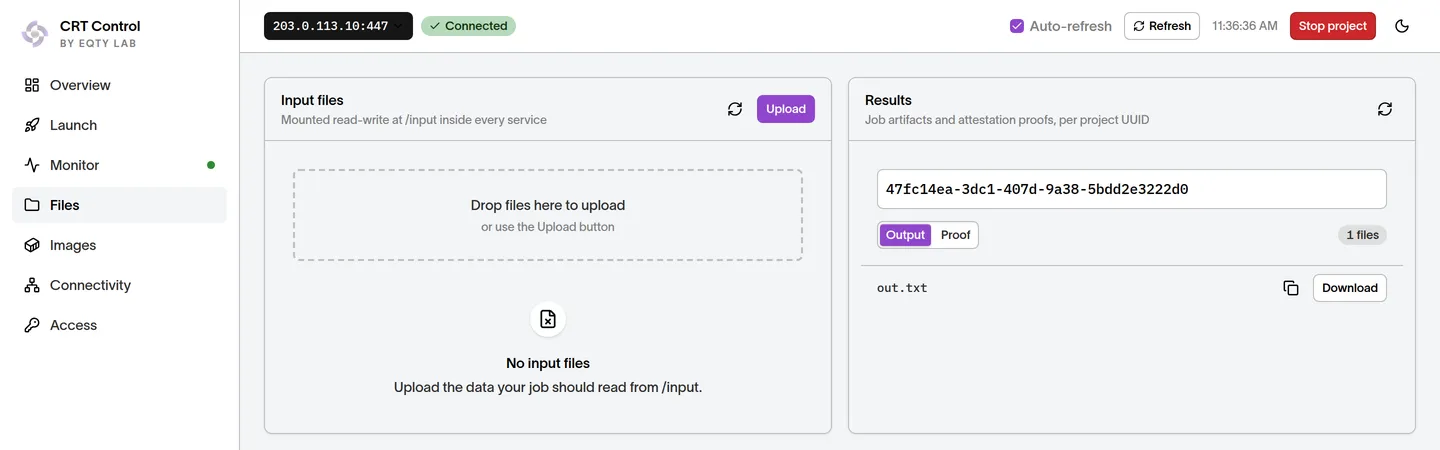
-
Install the command line tools, and create a
.envfile next to your operator certificate:shHOSTNAME="https://{{VM_IP}}:447" CLIENT_CERT="./operator1.crt" CLIENT_KEY="./operator1.key" -
Check the connection. An empty table means you are connected and no job is running:
sh$ vcomp-crt-api-cli status ps Client authentication certificate NAME IMAGE COMMAND SERVICE CREATED STATUS PORTS -
Save the job above as
docker-compose-helloworld.ymland start it:shvcomp-crt-api-cli start docker-compose-helloworld.ymlThe response ends with
"project_id":"…","status":"ok". Make a note of theproject_id: -
Run
vcomp-crt-api-cli status psuntil the table is empty again, about 60 seconds. -
Download the signed manifest:
shcurl -k --cert operator1.crt --key operator1.key \ -X POST -o eqty_manifest.json \ https://{{VM_IP}}:447/manifest
Open the Lineage Explorer and upload eqty_manifest.json to see the
job’s lineage.
Next steps
- Whisper Example: a transcription job that reads from
/input. - Sign with the EQTY SDK: sign statements from inside a workload.
- Web Console and Command Line: everything each interface can do.